Jaja Stylus – Testing on the iPad
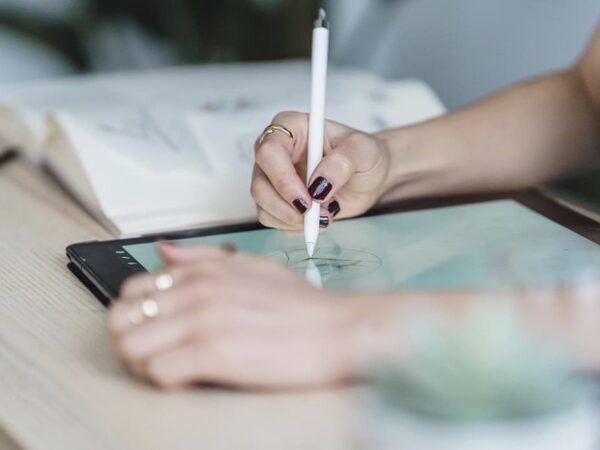
In this video Daarken shows the Jaja Stylus in action on an iPad using Procreate. He talks about the pros and cons and gives you a little peek at a sketch he did using the Jaja.
Jaja Stylus
1024 levels of pressure
Two customizable trigger buttons
Uses high frequency sound to communicate with the tablet
Requires AAA battery
$90
Note – There are probably many people that are happy with their stylus, so it could be that Daarken received a faulty unit (still no word from tech support). This review was based on the performance of the unit out of the box. Some people also reported hearing sounds and clicks emitting from the stylus since it uses sound to communicate.
Review scores from other sources.
PC Magazine – 3 out of 5
GottaBe Mobile – 2 out of 5
Amazon – 2.5 out of 5
Cult of Mac – 3.5 out of 5
Jaja Stylus from Daarken on Vimeo.


32 Comments on "Jaja Stylus – Testing on the iPad"
Lol Daarken the secret tip licker..Mmmmm Maybe if they made em taste of cookies it would’nt be so bad
I approve of cookie-flavored styli!
If I could pump out drawings like that then let my tip lickin career commence
good review btw .
Try galaxy note 10.1
I would if someone gave me one!
sorry, but looks like crap…
http://youtu.be/H_vLFLTM2tI
The Jaja or the Galaxy Note?
Please advice any good tablets for painting you know except Samsung series 7 or asus ep121 for painting
I have only used the Asus EP121 and the Fujitsu ST5112, so I can’t really recommend any others since I haven’t tried them.
jaja of course, but Galaxy Note is not much better, just because the set includes a stylus
Pls!!! Record new video how you draw on asus!
I’ve actually recorded a few paintings done on the Asus. This painting was done completely on the Asus.
Thx!
Also Will be very interesting see how you draw on samsung note, i hope in future you will find it to test.
Sorry for my eng
My girls always translate, but now she sleeps )))
Now i’m glad I didn’t get the Jaja. Someone should send you the Adonit Jot Touch and let you try it out.
Hah yeah, I’m really interested to see if it is any good.
I mean i like the idea of using the ipad for sketching on the go and just use dropbox to continue working on the sketches at home on the mac.
Hey daarken, do you have more paintings done in the ipad? If you could do some videos with it, like you did with asus, it would be great! Im always trying to use my ipad to paint and sketch but I find it kind of frustrating. Probably it’s my technique, I dont know. But make sure you throw that jaja away! haha
Nah, that is the only thing I have painted on the iPad. Like I mentioned in the video, it took way too long just to paint that. The other problem is that filming it with my camera takes up a lot of space. Just the video I shot for this tutorial took up 65 gigs, so I would need to do a super fast painting. I could probably also film it at a lower quality to save some space. So yeah, right now it just takes way too long to paint on the iPad for it to be practical for me.
Hey Daarken,
Cheers for the stylus review, is great to hear things like this so you don’t go out and waste money.
On that note, thanks to the fan who got this for you to test out!
Hopefully one day a decent tablet for artists will come around.
You going to be doing any more videos in the foreseeable future or are you focusing on work at the moment?
-Mathias
I will only be able to produce videos when I have some extra time. I’ve been pretty busy, so I don’t know when I will be able to make another one. Sorry!
I’m good with my asus too!!! ^^
i’ve tried the pogo stylus on ipad mini and procreate..
fun but soooo not as natural as the asus ^^
thanks for the review man!
(Electronics) My iPad was given to me as a gift. I hadn’t asked for it and I didn’t expect it so when I got it I was more than slglhtiy baffled as to what I would do with it. I’m an artist by trade. I already have a few Wacom tablets. So when it was suggested i give drawing on the iPad a try I scoffed. The iPad doesn’t have sensitivity like the Wacom tablets do, so I couldn’t conceive that it would be good for anything beyond hangman or tic-tac-toe. Of course I was wrong. Crazy wrong. The lack of sensitivity is an issue, but another stylus manufacturer has developed an algorithm that mimics sensitivity hopefully Apple will embrace this tech and implement it later on. In the meantime, i learned to love drawing on my iPad; i loved being able to do quick little doodles and email them off to friends or clients and while it takes some getting used to, you are capable of some remarkable detail. Which is where using a stylus comes in. Since I was initially clueless as to what to do with my iPad it also hadn’t occurred to me to use a stylus for drawing. Here I was honing my finger-painting skills and then I watched as my friend casually whipped out her iPad and Pogo stylus and started doodling away. My jaw nearly dropped; what a revelation! I ordered the exact same stylus she was using, the Pogo Sketch. When it arrived and I started drawing with it I was less than pleased; the tip is sort of this prickled velcro-y like fabric that is stuffed with foam rubber. It’s pliant, and I didn’t feel very in control with it by that I mean I couldn’t be completely precise in where it would make contact with the screen. I felt it was just too mushy. Then I ordered Boxwave’s stylus. This was a vast improvement. The tip feels like a hollow rubber ball. It’s definitely much more precise, and in my opinion superior for drawing. It’s also a quality item, it’s nicely made, the finish is nice, and it has a lanyard attached that plugs into the iPad’s headphone jack. Drawing on iPad is not like drawing on paper. There’s a learning curve to it and different people will use different tools in their own way. In other words, a perfect stylus probably does not exist yet .but for me this one is pretty close.
Thanks for sharing Mike, i never heard of this stylus until now. So now i know haha .However do you know the consistency of which you will be producing content for enliighten.com ? or is it strictly whenever you have time? (obviously scarce amounts).Keep up the great great work dude.
-Sincerely, Nick Doyle
Yeah, I will only be producing videos when I have some extra time. Sorry!
Oh man, the licking was killing me, haha! Too bad the stylus is terrible. Seems like there’s still a ways to go for tablets. I’ll stick with my Fujitsu for now.
Oh yeah, I definitely wouldn’t recommend replacing a tablet pc with a full Windows OS and Photoshop for something like an iPad. That is if we are strictly talking about using the device for painting. I really wonder when Wacom is gonna put out their own tablet pc…it will happen one day I swear!
Yeah, that would be so cool. I’m using the Galaxy Note 10.1 for drawing which has a Wacom digitizer. It works fine and the pressure sensitivity and levels are decent, but tablet-wise it could do with a higher res screen so we can zoom out and make use of bigger canvases. It’s a joy when on the go though.
Thanks for the heads up.
PC magazine recomends the Samsung 10.2.
hey daarken i fixed the nib without licking the tip lol. hwat you need to do is separate the joint from the disk and but a little electrical greece inside then snap it back in and it works perfectly… so you wont be able to use it until you do that…i had the same problem but this fixed it.
Lol nice! I have some gun oil, I wonder if that will work. Now I just gotta remember not to lick it after putting the oil on…
let me know how the oil works for you i used electrical tune-up grease called permatex! also you should definitely try artstudio for ipad rather than procreate. although procreate is hella fun to use the workflow is really slow like you said while in artstudio it resembles photoshop a lot more and has a lot of the standard tools that ps has(lasso, gradient, layer modes, filters, etc). also alot of customization settings in it. it also has this nice favorites menus that lets you access all you fave tools with a gesture rather than going in and selecting you brushes or lasso or w.e. and not having to adjust the settings on them everytime you need something different.:P lol sorry so much txt i just been looking for the perfect mobile work station since you posted the vids on the st5112 haha
*-* Procreate is just awesome … i guess adonit jot touch is better D: : http://www.youtube.com/watch?v=7HnbzT0z34I